Workspace Agent 2.0 and Code agent can occasionally present an answer as an interactive response: a colour palette, comparison, chart, checklist, plan or visual explainer. It stays inside that assistant reply on desktop web, the desktop app and mobile. Colours, accent and text follow Appearance settings. Tap its controls to explore the answer; these local choices do not change account settings, send messages or perform actions elsewhere in Oppermind. Normal answers remain plain chat. For editable or exportable work, use the existing editors and visualization tool.
Try this
✦Show me a calm five-colour brand palette in this reply, with swatches I can select to see each hex value.
What you getA palette appears inside the assistant response. Selecting a swatch updates its name, hex value and accent preview. The composer and open editors remain available.
Choose by deliverable
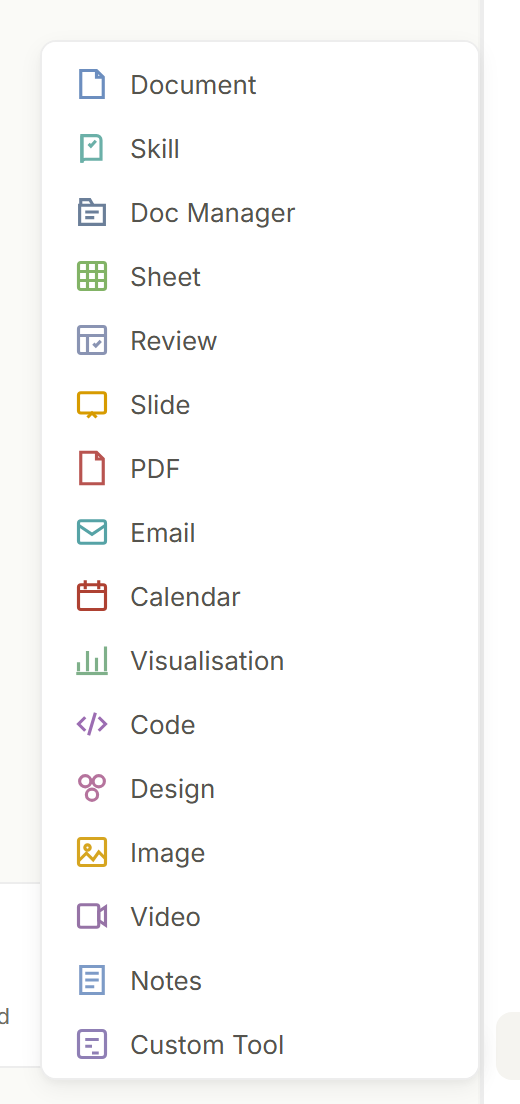
Start with what the finished work must be. Core editors cover documents, slides, sheets, PDF, email, code, design, image, video, notes, schedules, and projects; specialist tools cover additional workflows.
Every built-in editor, from the New editor menu on the right-hand rail.
Try this
✦Make a fillable PDF form for new suppliers: company name, business number, bank details, a contact person and a signature field. Take the questions from the attached supplier-checklist.docx.
What you getOppermind builds the form and opens it in the PDF editor in the right-hand pane, where you can move fields, test them and adjust the signature block before sharing.
Keep source and output together
Open the editor beside the relevant conversation and materials so changes remain grounded in the same context.
Source conversation and finished output side by side.
Try this
✦Attach campaign-results-aug.csv with the paperclip and type:
Build a six-slide results deck for the marketing lead from this file. Keep the deck open next to this chat so I can ask about the numbers.
What you getThe Slide editor opens beside the conversation with the CSV still attached, so a follow-up like why slide 4 says 12 percent is answered from the same data.
Make focused revisions
Select the part that needs work and describe the change. Preserve approved sections instead of regenerating the entire deliverable.
FY26 budget.xlsxediting×
Ask Oppermind anything…
AutoAutoAuto · 50% · Pro · Balanced
With the Editing chip showing, a revision request changes the open file rather than starting a new one.
Try this
✦Click the FY26 budget sheet in the right-hand pane, select the Travel row, then type:
Recalculate only this row using a 4 percent increase on last year's actuals. Leave every other row and the totals formulas untouched.
What you getOnly the Travel row changes; the totals update through their existing formulas and the rest of the sheet keeps its approved values.
Export in the intended format
Review layout and behavior in the target format before sharing or publishing.
Sheets export as real .xlsx files; documents as .docx; decks as .pptx.
Try this
✦Export the Term 3 lesson plan from the Document editor as .docx and the class deck from the Slide editor as .pptx, then open both in Word and PowerPoint.
What you getThe files download in the formats you chose, and you check headings, page breaks and speaker notes in the target applications before sharing them with the other teachers.
GUIDED LEARNING
Practise this in Oppermind Academy
Follow the related tutorial or course and apply the concept to a real task.