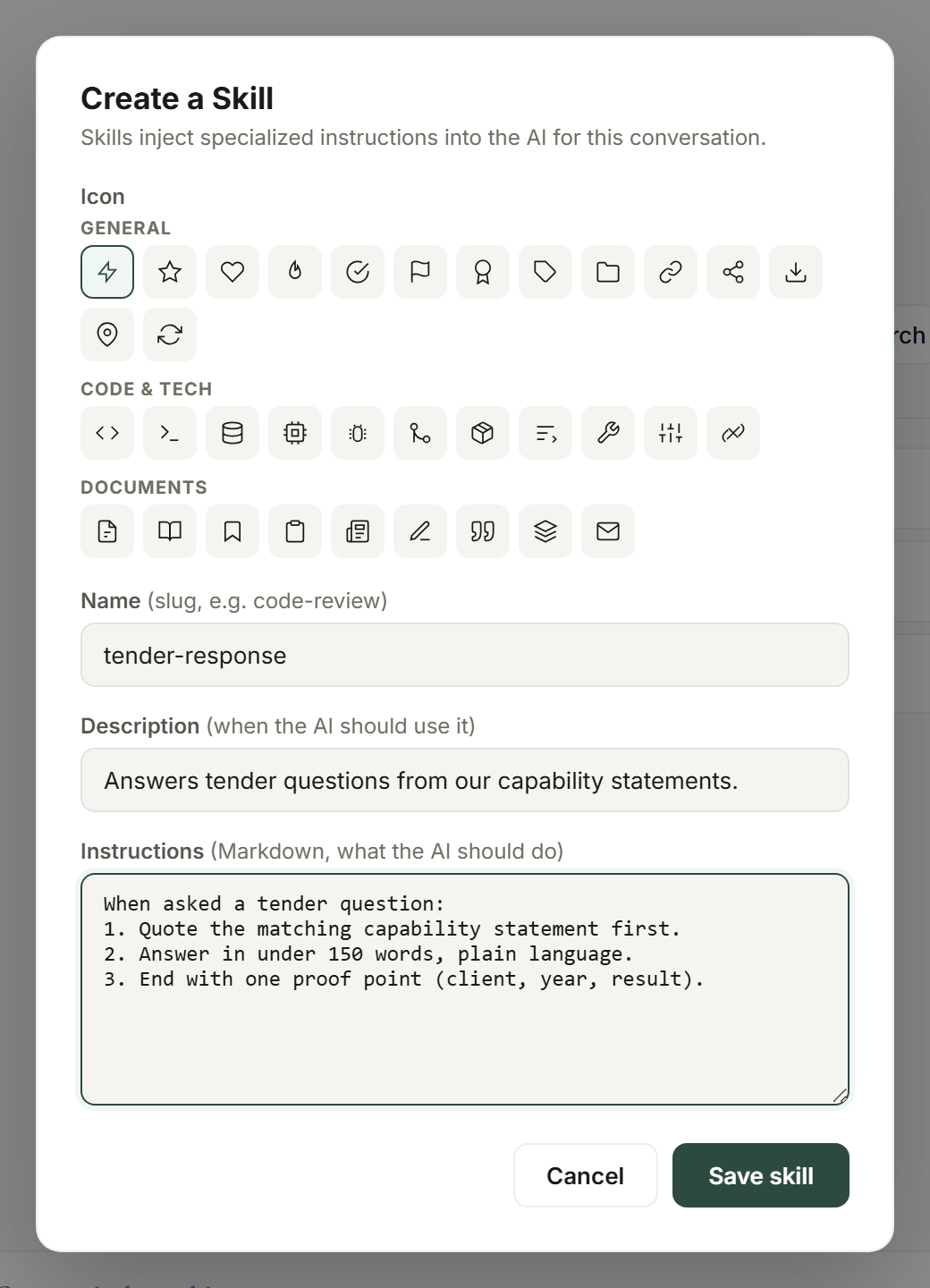
Create a skill when a workflow has a repeatable trigger, method, and recognizable output. Keep one-off preferences in the conversation or workspace instead.
Settings → Skills is where skills are created, uploaded and managed.
Try this
✦Every Monday I turn the week's support tickets into the same three-part digest for the product team. Is this worth making a skill? If so, propose its trigger, inputs, steps and output. Do not build it yet.
What you getOppermind confirms the workflow has a repeatable trigger, method and output, and proposes a skill outline in chat for you to approve before anything is created.
What a good skill contains
State the goal, required inputs, sequence, decisions, output format, source locations, and checks. Include examples only when they clarify a real choice.
A skill is a name, a one-line description and the operational instructions.
Try this
✦Draft the text for a skill called Board Paper Formatter: goal, required inputs (the draft paper and the board template), the sequence of steps, the decision it must make about executive summary length, the output format, and three checks to run before finishing. Include one example only where a choice is genuinely ambiguous.
What you getA structured skill draft appears in chat with goal, inputs, sequence, decisions, output format and checks as separate parts, ready to paste into Create skill in Settings.
How skills are selected
Open the composer plus menu, choose Skills, select the Skill, and confirm its skill chip before sending. Supported @ mentions serve different targets and are not the Skill picker.
Search files, skills, brands, connectors, apps…
FilesSkillsBrandsConnectorsApps
Active skills inject their instructions into this conversation
Built-in
brand-kit-creatorBuilt-in brand-kit-creator skill
skill-creatorBuilt-in skill-creator skill
Literature reviewFind, verify, and synthesize literature - retrieve first, resolve DOIs, walk citation graphs.
PDF exploreMulti-hop PDF question-answering for long documents.
My Skills
brand-voiceWrites in the house voice: plain, warm, no jargon.
tender-responseAnswers tender questions from our capability statements.
weekly-reportTurns the week's notes into a one-page status report.
+ Create skill↑ Upload
Manage skills →
Ask Oppermind anything…
AutoAutoAuto · 50% · Pro · Balanced
Skills are attached from the + picker's Skills tab, not by @-mention.
Try this
✦Click + in the composer, open the Skills tab and select Monthly Client Report, then check the skill chip is showing above the composer before typing:
Run this for Harbourview Dental for August.
What you getThe skill chip sits above the composer as your receipt, and the reply follows the Monthly Client Report method rather than a generic summary; typing @ would not have attached it.
Test before sharing
Run typical, sparse, and unusual examples. Confirm that the skill asks for missing context and stops safely when it cannot meet a requirement.
brand-voiceskill×
Ask Oppermind anything…
AutoAutoAuto · 50% · Pro · Balanced
The skill chip above the composer is your receipt that the skill applies to this chat.
Try this
✦Attach the Invoice Follow-up skill and send it deliberately sparse input, with no invoice number, amount or due date:
Run the invoice follow-up for Acme Landscaping.
What you getA well-built skill stops and asks for the missing invoice details instead of drafting a reminder with placeholders; if it guesses, tighten the skill's required inputs before sharing it.
GUIDED LEARNING
Practise this in Oppermind Academy
Follow the related tutorial or course and apply the concept to a real task.