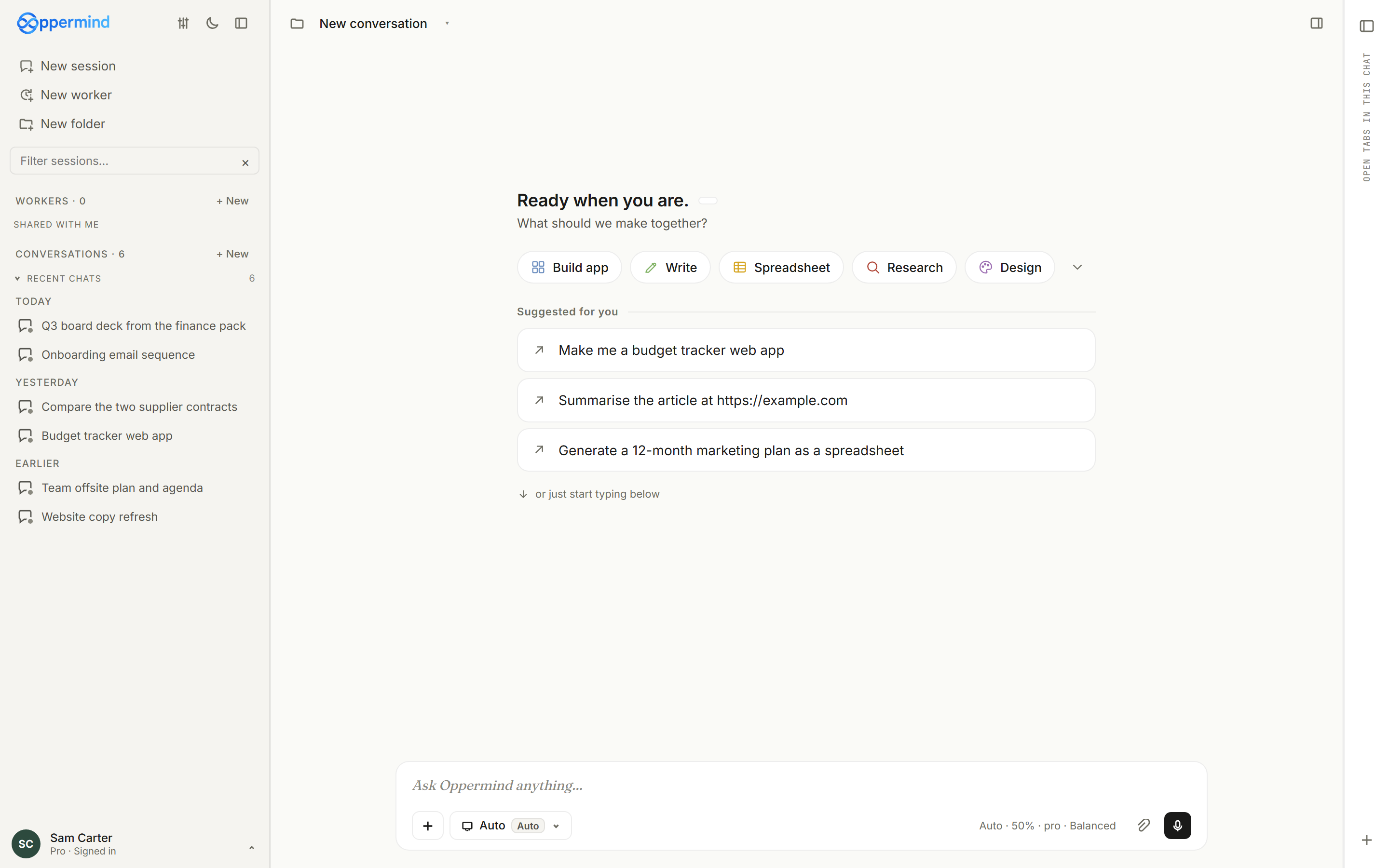
Start a new workspace for a specific piece of work. A focused workspace makes it easier to keep sources, decisions, and outputs together.
A new session on the desktop. The composer at the bottom is where everything starts.
Try this
✦Click New chat in the left sidebar, then make the first line set the scope:
This session is for the FY27 budget submission for the operations team. I will attach the source spreadsheets next.
What you getA fresh conversation opens with the composer reading Ask Oppermind anything…, and the session appears in the sidebar so every source, decision and output for the budget stays in one place.
Add the context that matters
Attach the files or connect the sources Oppermind needs. Keep the scope as small as the task allows.
Search files, skills, brands, connectors, apps…
FilesSkillsBrandsConnectorsApps
Drop files here, or browsePDFs, docs, sheets, images, audio, video · up to 12MB each
Attached to this message
No files attached yet.
Search your indexed notes (summarised context)
Ask Oppermind anything…
AutoAutoAuto · 50% · Pro · Balanced
Click + and use the Files tab (or the paperclip) to attach only the sources that matter.
Try this
✦Click the paperclip and attach only cost-centre-actuals-FY26.xlsx and budget-guidelines.pdf, then type:
Use these two files as the only sources. Where the guidelines set a cap, apply it to the actuals and list every cost centre that is over.
What you getBoth files show as chips above the composer before you send, and the reply works from the spreadsheet figures and the PDF caps rather than from general assumptions.
Describe the finished result
State the outcome, audience, format, and important constraints. Oppermind can clarify and plan before it changes anything.
Ask for a finished document and it opens in the Document editor beside the conversation.
Try this
✦Draft a two-page onboarding guide for new casual staff at our cafe, written for 17 to 20 year olds in a friendly plain tone, as a Document with headings for first day, rosters, food safety and pay. Ask me anything you need before you start.
What you getIf anything is unclear Oppermind asks first; otherwise the guide opens in the Document editor in the right-hand pane with the four headings you named.
Format your prompt on desktop
In desktop web or the Windows app, write your prompt and select the words you want to format. A floating menu appears above the selection with Link, Bold, Italic and Text. Open Text to choose Text, Heading 1, Heading 2, Heading 3, Numbered list or Bulleted list. Formatting stays visible while you write and when you restore a saved draft. The menu follows your light or dark appearance setting.
Action
How to use it
Show or close the menu
Select text rather than hovering over it to show the menu. Click outside it or press Esc to close it.
Use shortcuts or add a link
Use Ctrl or Cmd + B for bold, Ctrl or Cmd + I for italic, and Ctrl or Cmd + K to add a link to selected text. Enter an https://, http:// or mailto: address, then choose Add link.
Add a line or send
Press Shift + Enter for another line. Enter sends your prompt.
Select text in the desktop message box to reveal the formatting menu.
Try this
✦Write: Draft a Brew Cart launch email. Select Brew Cart and choose Bold. Add a new line with Shift + Enter, write three requirements and use Text > Bulleted list before sending.
What you getYour prompt keeps its emphasis and list structure, making the brief easier to read. Formatting does not change the selected chat mode or grant permission for actions.
Review and continue
Check substance as well as presentation. Ask for focused changes, then export or continue in the relevant editor.
FY26 budget.xlsxediting×
Ask Oppermind anything…
AutoAutoAuto · 50% · Pro · Balanced
The Editing chip shows which open file your next message will change.
Try this
✦In the proposal you just drafted, the pricing table on page 2 quotes 12 months but our offer is for 6. Fix the table only, keep everything else as it is, then export the document as a .docx.
What you getOnly the pricing table changes in the open Document, and the .docx appears in Doc Manager for download so the account manager can review it before it goes to the client.
GUIDED LEARNING
Practise this in Oppermind Academy
Follow the related tutorial or course and apply the concept to a real task.